How to get the most out of WhatsApp Business
By Steve · updated July 2026
Almost everyone uses WhatsApp Business as if it were regular WhatsApp, and that wastes half of what it offers for free. Catalog, quick replies, labels, greeting and away messages: they're built so you sell more and reply less. In this workshop I set them up with you, one by one, on your phone.
- WhatsApp Business is a free, separate app: install it and fill out your business profile completely.
- Build a catalog with your star products, photo and price, and share the link in the chat.
- Set up quick replies for what you answer every day, and use labels so you never lose a sale.
- Turn on the greeting and away messages: your business replies instantly even when you're not there.
- When the volume outgrows you, connect an AI assistant that attends and books for you.
First: WhatsApp Business is not the same as WhatsApp
WhatsApp Business is a separate app, free, made for businesses. It installs over the same number or a new one, and it comes with a business profile: your hours, address, website and a description of what you do.
That profile is already a difference: when a customer messages you, they see a serious business and not an unknown number. Fill it out completely before anything else, the same way you'd fill out your Google listing.
The catalog: your storefront inside the chat
The catalog lets you show your products or services with a photo, price and description, without pulling the customer out of the conversation. Instead of typing prices by hand every time, you send the product link and that's it.
You don't need to upload your whole inventory. Upload what sells most and what people ask about most. A catalog with your ten stars converts better than one with a hundred things where nobody finds anything.
Mind the photos: real, well lit, taken by you. The same rules for your business photos apply here.
- Upload your best sellers first, with a clear photo and price.
- Write short descriptions that answer the typical question about that product.
- Share the link to the catalog or a product the moment someone asks.
Quick replies and labels: stop typing the same thing a thousand times
Quick replies are messages you save and fire with a shortcut. You type "/prices" and out comes your full list. "/location" and out comes your address with the Maps link. Whatever you answer twenty times a day, you set up once.
Labels let you sort your chats: "new", "quote sent", "paid", "follow up". It's a mini system so you never lose a sale to forgetfulness. Without labels, customers go cold in your chat list and you don't notice.
Automated messages: attend even while you sleep
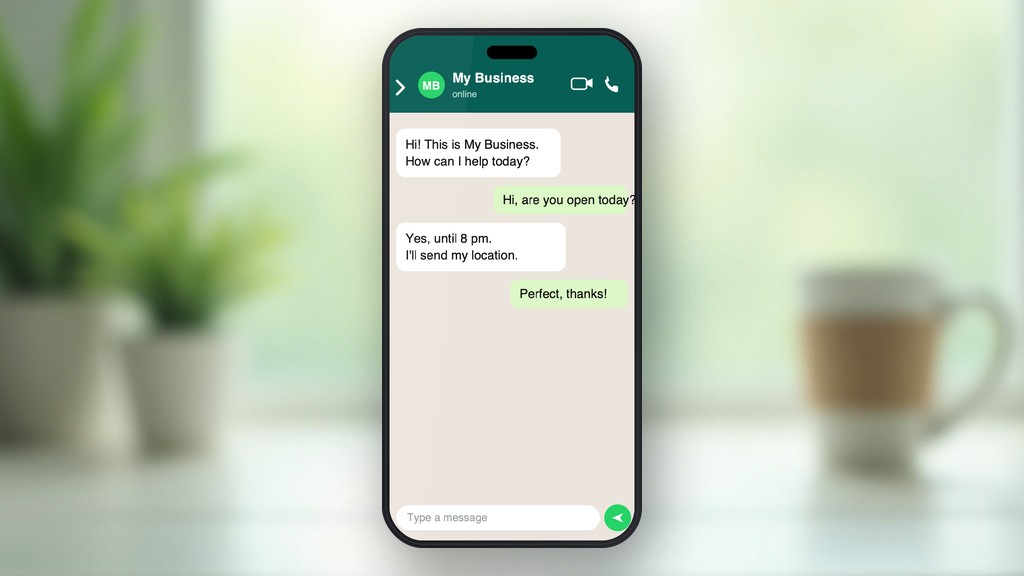
The greeting message fires on its own when someone messages you for the first time. Use it to say hello, tell them how fast you reply, and send your catalog or a question that speeds everything up.
The away message replies outside your hours. Instead of leaving someone on read at eleven at night, your business answers by itself: "Thanks for writing, I'll reply tomorrow from 9. Meanwhile, here's my catalog." That instant reply keeps the customer from wandering off to your competition.
The next level: when the volume outgrows you
The free tools go so far. When you get so many messages you can't keep up, or you want WhatsApp to attend, answer questions and even book without you lifting a finger, that's where an artificial intelligence assistant connected to your WhatsApp comes in.
That's another league: it replies instantly, 24 hours, in your tone, and only passes to you what truly needs your hand. If your problem today is that you don't have enough hands to reply, that's what I handle.
Set up your WhatsApp Business with me, live
The workshop is live and in a group, over video call: I set up your WhatsApp Business with you, step by step. Sign up and I'll email you the date as soon as I have the next session set.
- WhatsApp Business already installed on your phone.
- 3 to 5 products or services with photo and price, for the catalog.
- Your real business hours, the ones you actually keep.
No time limit: each session runs as long as it takes, and I stay until your questions are answered.
Free. I open each group once 15 people sign up and I announce the date on my WhatsApp channel. Sign up and follow the channel so you don't miss the next session.
Frequently asked questions
Is WhatsApp Business free?
Yes, the app and all its basic tools (profile, catalog, quick replies, labels and automated messages) are free. It downloads separately from regular WhatsApp and you can use it with your same number or a new one dedicated to the business.
Can I use my personal number for WhatsApp Business?
You can, but it's worth separating. If you use the same number, you can't have personal and business on the same phone at once. Many prefer a dedicated number for the business, so they separate their personal life from customers and can share access later.
What's the difference between quick replies and automated messages?
You fire quick replies yourself with a shortcut when you want to send something you repeat a lot. Automated messages send on their own: the greeting when someone messages you for the first time, and the away message when they message outside your hours.
When does an AI assistant on WhatsApp make sense for me?
When the volume of messages no longer lets you reply on time, or when you want to attend 24 hours without living glued to your phone. An AI assistant replies instantly in your tone, resolves frequent questions, can book, and only passes to you what needs your personal attention.
Want AI to handle your WhatsApp for you?
Start with your Exploration and Analysis. Requesting it costs nothing, and I'll tell you what's right for you first.