Your BNI public profile: how to turn it into a referral machine
By Steve · updated July 2026
Your BNI public profile is not a sign-up formality: it is your calling card in front of every person about to give you a referral. Most people fill it in halfway on day one and never touch it again. In this workshop I open it up with you, field by field, and leave it ready to bring you business even when you are not in the room.
- Your BNI public profile is seen by the whole internet, not just your chapter: treat it like your home page.
- If you have no website and no socials, put your Google Business Profile link in the links.
- Write the bio around the problem you solve, not your titles and years.
- Contact details current and identical everywhere, and a real, recent photo of you.
- Update the profile whenever your focus changes: a live profile refers, an abandoned one doesn't.
First: your profile shows up even when you don't
Your BNI public profile lives on the internet and anyone can find it, not just the members of your chapter. When someone gets your name as a possible referral, the first thing they do is look you up. That profile is often the first impression they get of you.
So I treat it the way I treat a home page: every field has to add trust and make it clear what you do, for whom, and how to reach you. An empty or half-done profile sends the opposite message, even if you are excellent at what you do.
The field almost nobody uses: your links
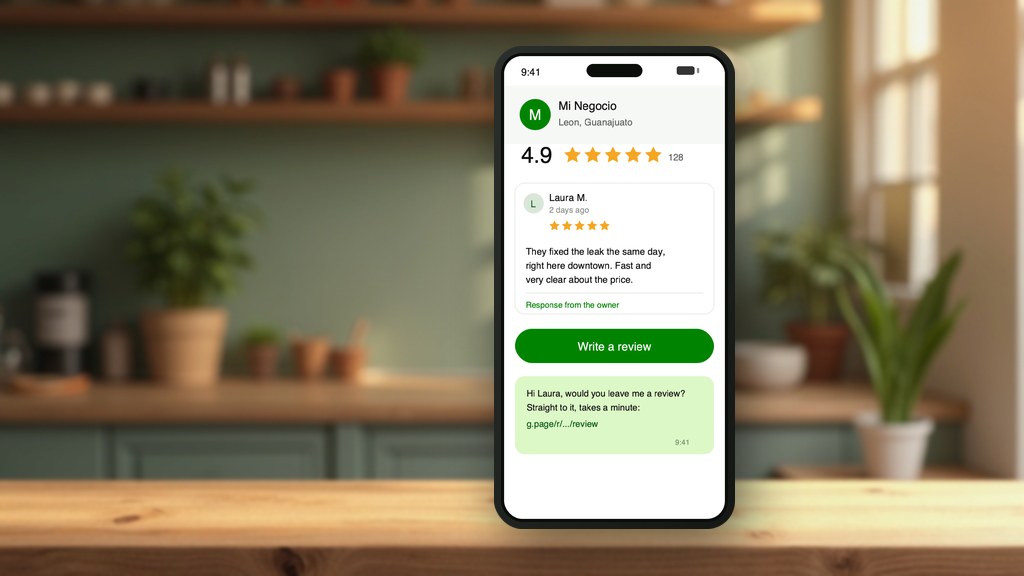
Your profile lets you add your website and your social media. Here is the interesting part almost nobody uses well: if you have no website and no socials, don't leave those fields blank. Put the link to your Google Business Profile.
Your Google listing shows your photos, your hours, your location and your real reviews. It is the closest thing you have to a website without having one. Putting that link on your BNI profile gives whoever refers you something solid to show, instead of an empty space.
And if you have no website and no Google listing yet, that is your first task. It's free and you can set it up today.
- Have a website? Add it, with the full https://.
- No website but you have socials? Link the one you actually keep up, not all of them.
- No website and no socials? Put the link to your Google Business Profile.
- Have none of the above? Create your Google listing first; it's free and takes minutes.
Your bio: stop listing, start solving
The most common mistake is using the bio to show off titles and years of experience. That doesn't help whoever refers you: what helps them is knowing which problem you take off their contact's plate.
Swap "I'm an accountant with 15 years of experience" for "I help business owners stop losing money with taxes and sleep easy at every filing." The first version describes you. The second one hands your chapter partner the exact words to refer you.
Write with the sentence you want people to say about you when you're not there. That sentence is your bio.
Your contact and your photo: remove all friction
Check that your phone, email and WhatsApp are current and the same everywhere you list them. An old detail lets a referral go cold on the way, and you never find out.
Your photo matters more than you think: make it yours, recent, well lit, with a face that says you actually want the business. No logos instead of your face, no cropped shots from an event. People refer people, not logos.
Keep it alive: a profile isn't filled once
The profile that brings referrals is the one that gets updated. When you change focus, add a service or land a good result, reflect it. A profile untouched for two years sends the same signal as an abandoned Google listing: a sleeping business.
My rule: every time you renew your weekly presentation at your chapter, give your public profile a quick read and adjust it so both say the same thing. Five minutes that pay for themselves.
Pick your workshops and I'll send you the date
The workshops are live and in a group, over video call. In this one I review your BNI public profile on screen with you and leave it ready, and in this same list you can sign up for all the others or ask me for a topic that is not there. Check whatever helps you, no limit, and I'll email you as soon as I have a date.
- Your BNI Connect login, username and password at hand.
- The link to your public profile, if you already know it.
- A recent photo of yourself, facing the camera, well lit.
No time limit: each session runs as long as it takes, and I stay until your questions are answered.
Free. I open each group once 15 people sign up and I announce the date on my WhatsApp channel. Sign up and follow the channel so you don't miss the next session.
Frequently asked questions
Is my BNI profile seen by anyone or only my chapter?
The public profile can be seen by anyone on the internet, not just your chapter members. That's why it's worth caring for like your Google listing or your website: it's one of the first things someone about to refer you sees.
I have no website and no socials. What do I put in the links?
Put the link to your Google Business Profile. It shows your photos, hours, location and real reviews, so it works like a mini website without you having one. If you don't have that listing either, create it for free: that's your first task.
What should I write in the bio?
Write what problem you solve and for whom, not your list of titles. Think of the exact sentence you want a chapter partner to use when referring you while you're not there. That sentence, in plain language, is your best bio.
How often should I update my profile?
Whenever your focus changes, you add a service or land a good result. At a minimum, give it a review when you renew your weekly presentation, so your public profile and what you say in the room tell the same story.
Want me to review your full digital presence?
Start with your Exploration and Analysis. Requesting it costs nothing, and I'll tell you what's right for you first.